Bring Your Own Designated Device (BYODD) - Years 4–6
At Rose Bay Public School, students in Years 4, 5 and 6 use personal iPads to enhance learning through creativity, collaboration and purposeful digital tools—alongside high-quality explicit teaching and strong foundations in reading, writing and mathematics. This helps us to move our students Ever Forward.
“Do we still use pen and paper?”
Yes. iPads support learning, but students continue to use pen-and-paper and hands-on resources when that’s the best tool for the task.
How iPads support learning
In Years 4–6, iPads are used to support learning across key areas such as English, Mathematics, other KLAs and coding, and to enhance learning through apps and tools including Apple apps, Google Suite and augmented reality experiences.
English
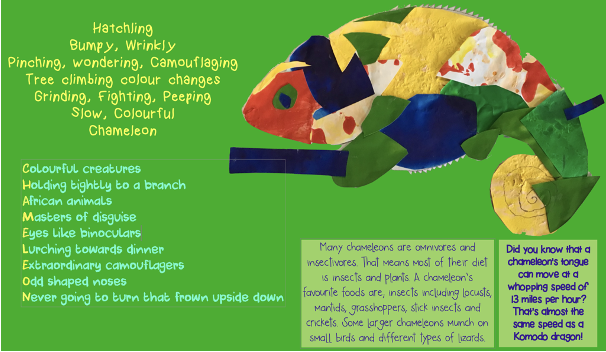
Students draft, edit and publish writing using purposeful digital tools. Additionally, students compose multimodal texts.
Mathematics
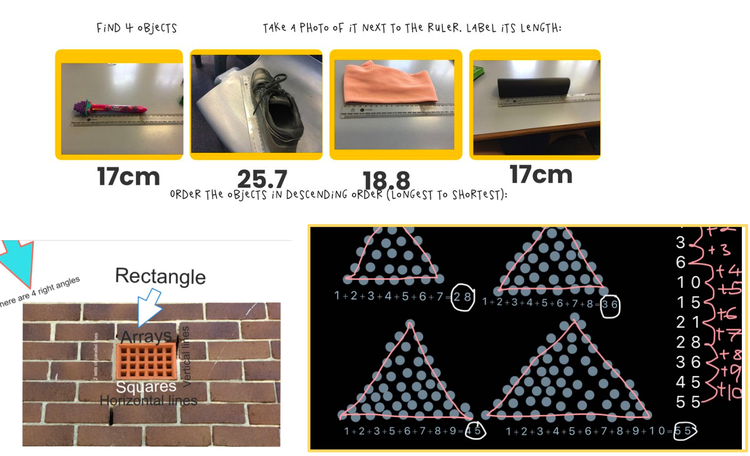
Students practise, model, represent and explain maths thinking with apps and visuals.

Other KLAs
Students research, collaborate, create and present learning across the curriculum. This is achieved using a variety of different applications and tools.
Coding
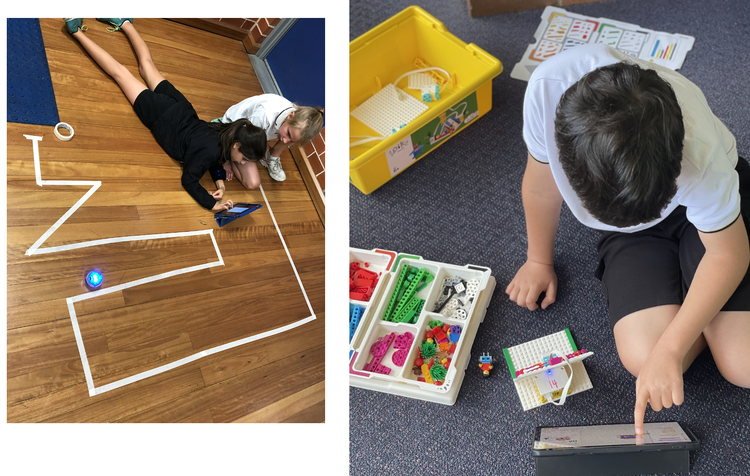
Students use coding and robotics to build problem-solving and computational thinking.
Device Specifications: What iPad should I purchase for my child?
Minimum iPad requirements
- Minimum 32GB Hard Drive
- Wi-Fi only (cellular not required)
We recommend
-
Latest generation iPad (to get the longest life-span). Suggestions include:
- iPad Air (Wi-Fi)
- iPad (10th or 11th generation, Wi-Fi)
-
A keyboard cover is strongly encouraged for protection and for efficient typing.
Accessing WiFi at school
At school, students connect to the Department of Education WiFi network, which provides access to child-friendly and approved websites. Sites such as YouTube, social media and inappropriate sites are blocked while students are at school.
Teachers supervise and monitor each student's device usage with Apple Classroom.
Apps and updates
It’s expected students regularly update both iPadOS and apps (via Settings).
Practical routines
- Charge at home each night
- Bring to school every day (unless advised)
- Keep in a protective keyboard case
- Store safely in bag when not in use